
Advanced Cisco Webex Calling
Learn to Deploy, Administrater & Troubleshooting of WebEx Calling
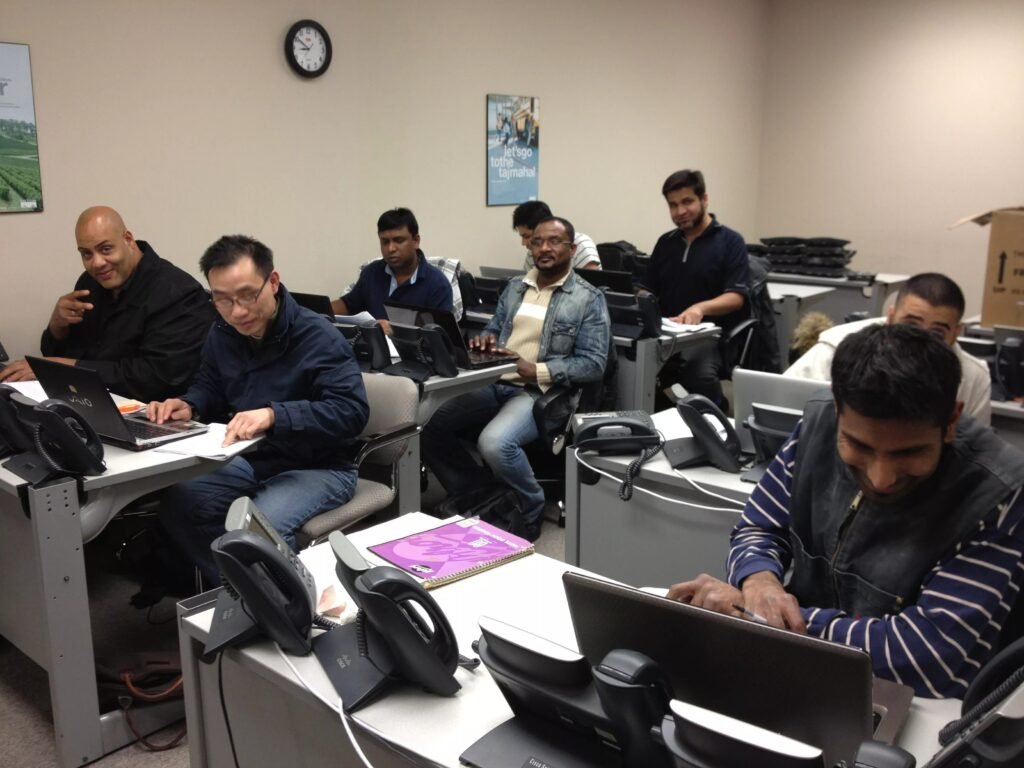
Advanced Cisco Webex Calling – Deploying, Administering, and Troubleshooting: The Deploying, Administering, and Troubleshooting Course is a 5-day instructor-led program designed to equip participants with the comprehensive skills needed for Configuring, Deploying, and Troubleshooting Webex Calling Deployments. The course takes a structured approach to cover various aspects of Webex Calling, ensuring participants are well-prepared to manage and optimize this critical communication system.
What is Included:
- 5-day intensive instructor-led
- 100 hours of dedicated lab access
- Dual CCIE certified instructor
- 2-year retake policy
| Course | Course Date | Location | Register |
|---|---|---|---|
| Advanced Cisco Webex Calling Training | 06-15-2026 9:30 am | Online (Live) – Pacific Standard Timezone GMT -5 | Register |
| Advanced Cisco Webex Calling Training | 08-10-2026 9:30 am | Online (Live) – Eastern Standard Timezone GMT -5 | Register |
| Advanced Cisco Webex Calling Training | 09-21-2026 9:30 am | Online (Live) – Pacific Standard Timezone GMT -5 | Register |
| Advanced Cisco Webex Calling Training | 11-09-2026 9:30 am | Online (Live) – Eastern Standard Timezone GMT -5 | Register |
| Advanced Cisco Webex Calling Training | 12-21-2026 9:30 am | Online (Live) – Pacific Standard Timezone GMT -5 | Register |
By the end of this course, you’ll be able to confidently design, deploy, manage, and troubleshoot Webex Calling environments.
Key Skills You’ll Learn
- Foundations: Understand Webex Calling, Meetings, Messaging, and Control Hub; compare multi-tenant vs. dedicated instances; plan migrations and network readiness.
- Devices: Configure and manage desk phones, DECT, wireless, ATA, and mobile clients for users and shared spaces.
- Administration: Use Control Hub for licensing, monitoring, user provisioning, directory sync, and SSO.
- Calling Features: Set up auto attendants, hunt groups, queues, voicemail, and call recording for optimal CX.
- PSTN & Routing: Configure trunks, dial plans, CUBE, and survivability with E911 and RedSky.
- Integrations: Connect Webex Calling with Microsoft Teams and enterprise apps via APIs.
- Monitoring & Troubleshooting: Use Control Hub and ThousandEyes for analytics and diagnostics.
- Automation: Leverage Webex Calling APIs to automate workflows and integrations.
Module 1: Webex Overview
- Webex Product Overview
- Webex Calling Overview
- Webex Meeting Overview
- Webex Hybrid Services and Integrations
- Webex Messaging Overview
- Webex Control Hub Monitoring Overview
Module 2: Webex Calling Overview
- Webex Calling Overview
- Webex Calling Differentiators
- Webex Calling Dedicated Instance
- Hybrid Webex Calling Use Cases
Module 3: Network Planning, Network Assessment, and Security
- Webex Administration Client Requirements
- Network Requirements
- Network Assessment for Webex
- Webex Calling Ports and Protocols
- Private Network Connect to Webex Calling
- Webex Calling Migration Considerations
Module 4: Webex Phones, Devices, and Accessories for Webex Calling
- Webex Calling Devices Overview
- Webex Calling Phones
- Webex Calling DECT Phones
- Webex App Calling Features
- Webex Calling Wireless Phones
- Webex Calling Conference Phones
- Webex Calling Mobile Clients
- Webex Calling Devices
- Webex Calling Headsets
- Webex Calling ATA Devices
Module 5: Adding Phones and Devices
- Adding a Phone Assigned to a User
- Adding a Personal Device
- Adding a Common Area Phone
- Adding a Shared Device
Module 6: Webex Calling Migration
- Webex Calling / CUCMC Migration Concepts
- Webex Calling Migration
- Webex Calling Phone Migration
- Webex Calling Migration Tools
Module 7: Webex Control Hub Administration
- Control Hub Overview
- Organization Settings and Templates for Webex
- Licensing
- Adding Users
- Webex Groups
- Webex Locations
- Webex Templates
- Webex Apps and Integrations
- Configuring Users for Calling
- Administration Panels
- Headset Management in Control Hub
Module 8: Webex Directory Synchronization, Azure AD Integration into Webex, and Single Sign-On
- User Provisioning
- Directory Connector Provisioning
- System for Cross – Domain Identity Management (SCIM)
- Integrate Azure AD with Webex
- Single Sign – On with ADFS
- OpenID Connect and PKCE
Module 9: Webex User Portal
- Webex User Portal
- Webex Calling Portal
Module 10: Configuring Webex Calling Settings and Features
- Feature Overview
- Webex Calling – Service Settings
- Webex Calling – Client Settings
- Auto Attendant
- Call Park Extension and Call Park Group
- Call Pickup
- Call Queues
- DECT Network
- Hunt Groups
- Single Number Reach
- Paging Groups
- Receptionist Client / Attendant Console
- Hoteling
- Hotdesking
- Virtual Extensions
- Virtual Lines
- Shared Line
- Voicemail Group
- Announcement Files
- Executive Assistant
- Other Call Features
Module 11: Webex Customer Experience
- Webex Customer Experience Basic vs Essentials
- Webex Customer Experience Basic Features
- Webex Customer Experience Essentials
- Agent Screen Pops
- Supervisor Analytics
- Omni – channel
- Intelligent Routing
- Agents and Supervisor Experience
Module 12: Webex Calling Recording
- Call Recording Options for Webex Calling
- Call Recording with Dubber
- Call Recording Configuration
- Call Recording with Imagicle
Module 13: Webex Calling PSTN
- PSTN Gateway Options and Overview
- Cisco Provided PSTN
- Call Routing with Cloud Connect for Webex Calling (formerly Cloud Connected PSTN) Architecture
- Premises-Based PSTN – Architecture
- CUBE Premises – Based Architecture
- Premise – Based Cube Registration Based
- Multiple Registration – Based Gateway on a Single CUBE
- Certificate – Based Premises – Based PSTN
- Configuring a Certificate – Based PSTN
- CUBE Configuration Platform Configuration and Certificates
- CUBE Certificates Configuration
- CUBE Trunk Enablement Configuration
- CUBE Call Routing Configuration
- CUBE High Availability
- Managing Gateways from the Webex Control Hub
- Enroll the Gateway in the Control Hub
- Validate Registration – Based LGW Configuration through Control Hub
- Private Network Connect
Module 14: Webex Calling Trunks, Route Group and Dial Plans
- Webex Calling Routing Overview
- Webex Calling Locations
- Dial Plans
- Route Groups, Trunks, and Dial Plans
- Webex Calling Routing Flows
- Webex Calling Caller Identity
- Interworking Webex Calling and Unified CM On-Premise
- Call Routing with Premises-based PSTN
- Dial Plan
- PSTN Migration
- Survivability
- ICE: Media Path Optimization
- PSTN for Room Video Systems
Module 15: Webex Calling Site Survivability
- PSTN / Gateway Troubleshooting Overview
- Troubleshooting Call Routing
- Troubleshooting PSTN Calling
- Troubleshooting Case Study
Module 16: Webex Calling Site Survivability
- Site Survivability Solution Overview
- Webex App and Endpoint Changes
- Call Forward Unreachable Setting
- Emergency Calling
- Survivability Call Flows
- Deployment Workflow
- Managing Gateways from the Webex Control Hub
- Add a New Gateway Instance in Control Hub
- Enroll the Gateway in the Control Hub
- Assign Survivability Service to the Gateway from within the Control Hub
- Platform Licenses
- Certificates
- Common Global Configuration
- Data Sync and Updated CLI
- Debugs
- Show Commands
- Limitations and Restrictions
- Testing Survivability
- Colocation of Unified – SRST with Webex – SGW
Module 17: Webex Calling E911 Emergency Call Handling
- Emergency Calling Overview
- Setup E911 Account
- RedSky Configuration
- Webex Calling E911 Configuration
- Enhanced E911 Phone Tracking
Module 18: Webex Calling Integration with Microsoft
- Microsoft Calling Overview
- Microsoft Direct Routing with CUBE
- Webex Calling for Microsoft Teams
- Webex Calling for Microsoft Teams Configuration
Module 19: Monitoring, Analytics, and Troubleshooting with Webex Control Hub
- Webex Calling Monitoring, Analytics, and Troubleshooting Overview
- Webex Sites Status
- Webex Calling Alerts and Webhooks
- Webex Analytics > Dashboards
- Webex Analytics > Calling
- Webex Analytics > Calling Media Quality
- Webex Analytics > Calling Detailed Call History
- Webex Analytics > Call Queue Stats
- Webex Analytics > Call Queue Agent Stats
- Webex Analytics > Live Queue Stats
- Webex Analytics > Calling Auto – Attendant
- Webex Analytics > Devices – Headsets
- Webex Troubleshooting
- Webex Calling Reporting
- Phone Logs and Problem Reports
Module 20: Webex Calling Troubleshooting
- Webex Calling Troubleshooting Overview and Tools
- Understanding SIP Protocol
- Webex Integration with ThousandEyes
- Diagnosing Switch Issues
- Troubleshooting Device Registration
- Troubleshooting Phone and Soft Client Issues
- Troubleshooting Media Quality
- Troubleshooting Webex Authentication
- Troubleshooting User Onboarding and Provisioning
Module 21: Webex Calling API Overview
- Webex API Basics
- Webex Calling API
LAB OUTLINE
- Lab 1: Initial Cisco Webex Control Hub Organization Configuration
- Lab 2: Webex Calling – Initial Setup
- Lab 3: Assessing the Network Environment
- Lab 4: Configure and License IP Phones and Webex App
- Lab 5: Migrate IP Phone from Enterprise to MPP
- Lab 6: Configure Webex Calling for Room Devices
- Lab 7: Configure Control Hub for Calling
- Lab 8: Configure Locations and Numbers
- Lab 9: Configure Webex Calling Settings
- Lab 10: Configure Webex Calling Phone Features
- Lab 11: Webex Customer Experience
- Lab 12: Configuring Call Recording
- Lab 13: Configuring Premise Based PSTN
- Lab 14: Using Analytics to Troubleshoot Webex Calls
- Lab 15: Troubleshooting Webex Calling Call Flows, Authentication, and Device Registration
- Lab 16: Using APIs in Webex Calling
- Lab 17: Office 365 Integrations to Webex
- Lab 18: Cisco Webex Monitoring Service in Cisco Webex Control Hub
- Lab 19: Single Sign-On (SSO) with Microsoft Azure Entra ID
- Lab 20: Directory Connector, Azure AD Connector, SCIM between Azure AD and Webex Control Hub
- Lab 21: Azure AD Connect
- Lab 22: Synchronize Azure Active Directory Users into Cisco Webex Control Hub
- Lab 23: Configuring Azure SSO with Cisco Collaboration Solutions
- Lab 24: Webex Azure AD Wizard
- Lab 25: Webex Cloud Connected UC Directory Service Support for Unified CM
- Lab 26: Azure Active Directory Conditional Access
- Lab 27: Explore the Options that Intune Offers from EMM Perspective
- Lab 28: How to integrate with Google for Single Sign On and do user provision with SAML Just in Time (JIT) provisioning
- Lab 29: Webex Integration with Okta
- Lab 30: Scheduling, ECM, and Groups Integration Options
- Lab 31: Webex Meetings/Calling and Presence Integration with Microsoft Teams
- Lab 32: Cisco Collaboration Products Integrate with Azure AD
- Lab 33: Office 365 Integrations to Webex
- WebEx Contact Center Certification


